
A beautiful rant about PHP … it almost made me cry … all those bad memories … :'(
Category: English
A Chinese Typewriter in Silicon Valley
3D Computer Vision: Past, Present, and Future
I am the Best
Sometimes there are things you didn’t want to know, but then somehow you do … and you cannot “un-know” these things … I just had one of these moments. 🙁
Some time ago introduced to this piece of “music” with the phrase “here, this is also something you probably won’t like.” 😉 I was never told where it is from and could not recognize what was being said (I always thought it was some random mumbo-jumbo) … and I was happy 🙂
… untill I heard the phrase “내가제일잘나가” … nothing will ever be the same … 🙁
Kola Borehole
There are things that are quite interesting, but you never hear of them … the more than 12km deep Kola borehole one of those things.
BrowserQuest
 The
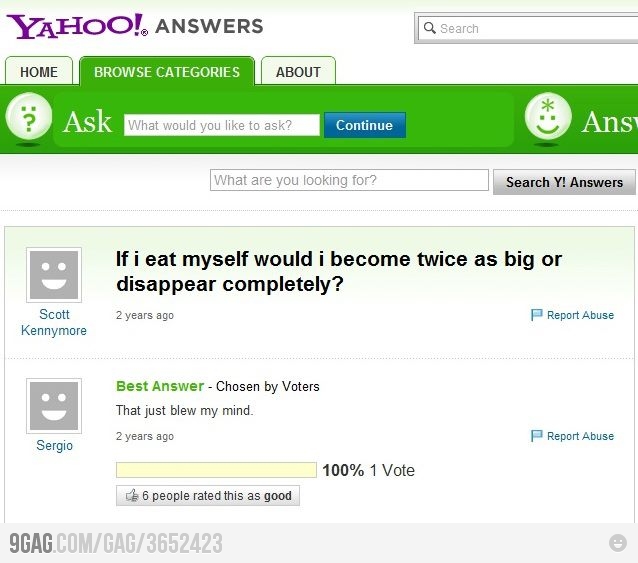
The If I eat myself would I become twice as big or disappear completely?
The Mass Effect 3 Controversy
I have recently sumbled across something called the “Mass Effect 3 Controversy” where the Mass Effect series of games made the player’s choice a key element in shaping the story of its 100+ hour saga. But the disappointing endings (because they all render the decisions you made along the game irrelevant and basically boil down to a different color tint in the ending sequence) to the game left many fans unhappy.
In their unhappiness fans tuned creative. For example there was a $80k Child’s Play fund raiser and a huge cup cake delivery to Bioware.
But the real question remains: did they really screw up the ending (I can’t reproduce the link to a forum thread where a member of the writer team disclosed some insider info about the process the ending got written) and by the help of resourceful fans have a way of mending it with a genius twist or they really had a good ending, but cut it short in order to sell it as additional DLC?
At this point, I don’t know what I wish to be true. That Bioware just screwed up the finale the old fashioned way, or that they had a brilliant ending, cut it and made what they did show cryptic in order to sell DLC down the line. In my eyes, either situation is equally tragic.
– Forbes
I don’t want to mess with the homeless economy
I don’t want to mess with the homeless economy.
TLO interviews are the best 😉